
Uncategorized
How to Order a Custom Tulsa Golden Hurricane Jersey, Step by Step
Oct
To order a custom Tulsa Golden Hurricane jersey on roberthenrys.com, choose your design, color and size, then leave the name and number you want in a message at checkout, or email them after ordering. That message, or a follow-up email, is how this site receives your personalization. The steps below walk through the process in order and include the checks that prevent the most common mistakes.
Before you start: gather three things
Having these ready saves you from stopping halfway through checkout:
- The exact spelling of the name, written down rather than remembered.
- The number, digit by digit.
- The wearer’s size, taken from the sizing information on the product page rather than a guess.
The ordering steps
- Open the Tulsa category. The category page gathers every Tulsa football jersey design on the site, from player-name designs to word-and-number ones.
- Pick a line. Listings belong to either the 2026 Vapor Limited line or the 2025 Vapor line. The year in the listing title tells you which, so read it before you go further.
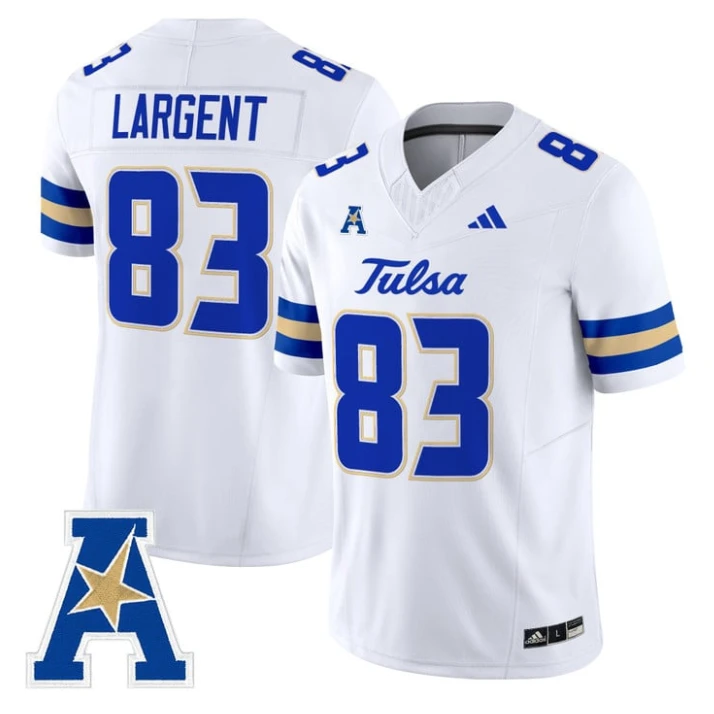
- Choose a starting design. If you plan to personalize, open the design you want to use as your base. If you would rather keep a ready-made back, options include a Steve Largent #83 listing, a Dominic Richardson #21 listing or a Hurricane #25 listing.
- Select color and size. Colors offered across Tulsa designs include Red, Red Alternate, Royal, Royal Alternate and White; the listing shows which ones are available for that design.
- Add to cart and go to checkout. Fill in shipping and contact details as usual.
- Write your custom details in the checkout message. Put the name on one line and the number on the next, for example: “Name: MARTINEZ” and “Number: 22”. Labeling each line removes any doubt about which is which.
- Proofread, then place the order. See the checklist below before you click.
- Missed the message box? Email instead. If you placed the order without adding your details, email them after ordering. Include your order number so the details attach to the right purchase.
The spelling and number checklist
Most problems with personalized orders come from the text itself, not the process. Run through these before submitting:
- Letter count. Count the letters in the name you typed and compare with the written version.
- Double letters. Names like Phillips, Russell or Ellison are easy to shortchange by one letter.
- Punctuation. Decide whether an apostrophe, hyphen or space belongs (O’Neal or ONeal, Smith-Jones or Smith Jones) and type exactly that.
- Suffixes. If you want “Jr.” or “III” included, write it; do not assume it will be added.
- Digit order. 21 and 12 look alike when you are typing fast. Read the number aloud.
- Leading zeros. If you want “07” rather than “7”, spell that out in your message.
What the custom listing describes
According to this site’s custom listing, the jersey has a 100% recycled polyester body with stitched tackle twill letters and numbers, embroidered applique and graphics, flatlock stitching and a satin twill jock tag. It is cut as a V-neck with short sleeves and a reinforced tagless collar. Care instructions on the listing say to machine wash and tumble dry low.
After you order
Keep the confirmation for your Tulsa jersey order handy. If you spot an error in your message after submitting, email right away with the order number and the corrected spelling, written out clearly.
Ready to begin? Open the Golden Hurricane jersey category on roberthenrys.com, pick your design, and keep this checklist open while you fill in the checkout message.