
Uncategorized
Ordering a Custom UMass Minutemen Jersey: A Careful Walkthrough
Oct
Ordering a custom UMass Minutemen jersey comes down to six moves: open the right listing, decide the exact name and number offline, pick the size, enter the text the way the product page asks, proofread it twice, and review the cart before you pay. Most problems with personalized orders come from rushing the text, so this walkthrough builds in a check at each step. Because the store has not published a fixed set of entry rules we could quote, treat the product page as the final word wherever it gives instructions.
Step 1: Find the listing
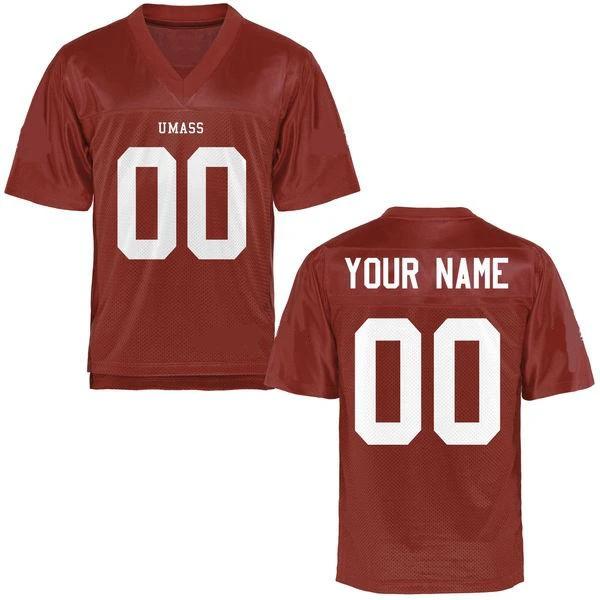
Head to the RobertHenrys custom Minutemen jersey category. You will find one personalized item there, titled UMass Minutemen Custom Jersey Name and Number College Football. Open it and give the whole page a slow read, including any notes near the add-to-cart button, before you type anything.
Step 2: Settle the text away from the screen
Write the name and number on paper or in a notes app first. Doing this outside the order form keeps you from making decisions in a hurry.
- Name: decide on capitalization, spacing and any apostrophes or hyphens. “O’Neil,” “ONeil” and “O NEIL” are three different results.
- Number: confirm the digits and whether you want a leading zero.
- Blank options: if you would rather leave the name off, check what the page says about empty fields.
Step 3: Choose the size before personalizing
Select the size first so you are not tempted to skip it once the fun part is done. Compare a shirt you already own against the listing’s size chart, and size up if you want room for a layer underneath.
Step 4: Enter the name and number
Look for the personalization fields or the instruction box the listing provides, and follow the instructions on the product page exactly. Some stores use separate fields for name and number; others ask for a single note. Copy the text from your notes rather than retyping it, which cuts down on slips.
Step 5: Proofread like an editor
This is the step that saves orders. Use these checks:
- Read it backward, letter by letter. It forces your eye to see each character rather than the word you expect.
- Check easily swapped letters: I and L, O and 0, S and 5, B and 8.
- Confirm the number’s order. A 27 and a 72 are easy to flip when typing quickly.
- Ask someone else. A second pair of eyes catches what yours skip.
- For gifts, confirm the spelling with a relative of the recipient if you are unsure about a preferred name.
Step 6: Review the cart
Before paying, open the cart or checkout summary and confirm that the size, the name and the number all appear as you intended. If the summary shows your personalization text, read it one final time. If it does not, scroll back to the product page and make sure the fields were saved.
After you order
- Keep the confirmation email; it is your record of the exact text submitted.
- If you spot a mistake, contact the store as soon as possible using the details on its site.
- When the jersey arrives, follow the care label to keep the lettering looking its best.
Common slip-ups to avoid
- Typing a nickname in one field and the surname in another by accident.
- Adding extra spaces before or after the name.
- Forgetting to select a size because the personalization took all your attention.
- Assuming autocorrect left the spelling alone. Phones love to “fix” surnames.
Wrapping up
A custom umass minutemen jersey is only as good as the text you submit. Plan the name and number away from the form, follow the listing’s own directions, and proofread before every click forward. Ten careful minutes now means a umass jersey that looks right the moment you pull it out of the package.