Uncategorized
How to Order a Custom Dayton Flyers Jersey, Start to Finish
Oct
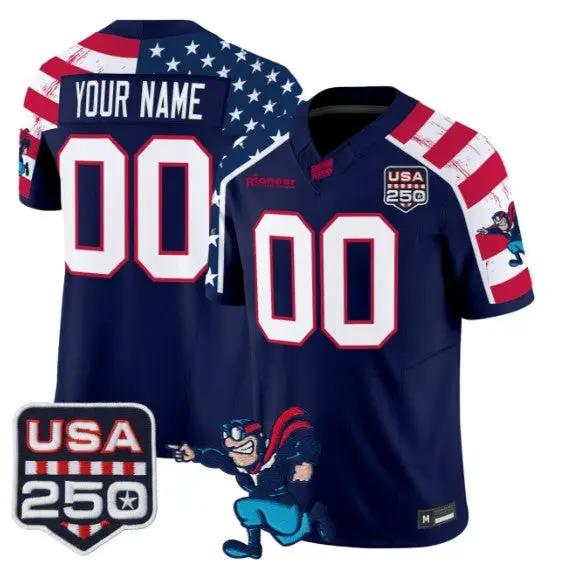
Ordering a custom Dayton Flyers jersey comes down to three moments: prepare your name, number and size before you shop; put that lettering in the message field when you check out; and, if you miss the field, email the details with your order number afterward. The store currently lists a single custom Dayton design, the 2026 Vapor name and number jersey, so there is no guesswork about which page to use. This guide walks through each phase in order.
Before checkout: gather three things
Most ordering hiccups start before the cart. Spend five minutes collecting these details so the purchase itself takes one smooth pass.
1. The back name
Decide exactly what goes across the shoulders. Is it a surname, a nickname, a family name or nothing at all? Write it in capital letters the way you want it stitched, including any hyphen, apostrophe or space.
2. The number
Pick one or two digits and write them as numerals. If you want a leading zero, such as 05 rather than 5, write it that way on purpose.
3. The size
The listing describes a V-neck with short sleeves and a reinforced tagless collar. Lay a favorite shirt flat and compare it with the size options shown on the product page, then note the one you plan to choose.
Keep all three in a single note on your phone or computer. You will paste from it in the next phase.
During checkout: where everything goes
- Open the listing. Head to the Dayton Flyers jersey page and click into the custom Dayton Flyers 2026 Vapor name and number jersey.
- Select your size from the options on the page and add the jersey to your cart.
- Go to checkout and fill in shipping and contact details as usual.
- Find the message box. The product page asks for your custom name and number in a message at checkout. Paste the text from your note into that field.
- Format it plainly. Something like “Custom Dayton 2026 Vapor, size XL: Name = KOWALSKI, Number = 33” leaves nothing to interpret.
- Review before paying. Scroll back over the message once. If it matches your note, place the order.
Ordering several at once?
Add each jersey to the cart separately and give each one its own line in the message, paired with its size. For example: “L: KOWALSKI 33 / M: KOWALSKI 8 / S: no name, 12.” Lining them up this way prevents two sets of lettering from being swapped.
After checkout: confirm or catch up
If you added the message
Open your confirmation email and look for the notes section. Read the name and number again. If you spot an error, reply right away with the order number and the corrected text. Early corrections are the easiest kind.
If you forgot the message
No need to reorder. The listing allows you to email your name and number after ordering. Send a short message with:
- Your order number
- The product name: Custom Dayton Flyers Name, Number 2026 Vapor
- The size you ordered
- The exact lettering, in capitals
Send it soon after the order so your jersey is not held up waiting on missing details.
What the listing says you will receive
Knowing the build helps you judge the finished piece when it arrives. According to the product page, the jersey has:
- A 100% recycled polyester body
- Stitched tackle twill letters and numbers
- Embroidered applique and graphics
- Flatlock stitching and a satin twill jock tag
Care instructions on the page are simple: machine wash, then tumble dry low.
Two special cases
Number only, no name
Just say so in the message, for example “Number only: 21.” Being explicit avoids someone assuming you forgot to type the name.
Changing your mind about the lettering
Email as soon as possible with the order number and your new text. The sooner the store hears from you, the simpler the change.
The short version
Prepare name, number and size in one note. Open the custom 2026 Vapor listing, pick a size, and paste your lettering into the checkout message. Check the confirmation. If the message was missed, email the details with your order number. That is all it takes to get a Dayton Flyers jersey with your own lettering.