
Uncategorized
Old Dominion Monarchs Jerseys for a Group: An Order Planner
Oct
The easiest way to order Old Dominion Monarchs jerseys for a group is to collect everything in one shared sheet first: each person’s name, the listing they want, color, size, and, for custom shirts, the exact back text and number. Lock that sheet before anyone pays, then place the order with one clean line per jersey. Groups that skip the sheet usually end up chasing a missing size or a misspelled name in a long text thread. Below is a planner that keeps a family, a tailgate crew or an alumni club organized from first message to final checkout.
Step 1: Name one organizer
A group order needs a single person who gathers answers, checks them and submits them. Everyone else sends details to that person only. This sounds obvious, but when three people each “help” by forwarding requests, duplicates and contradictions appear fast.
Step 2: Give people a short menu
The Old Dominion Monarchs jersey lineup has more choices than most groups need. Narrow it to three types so replies come back quickly:
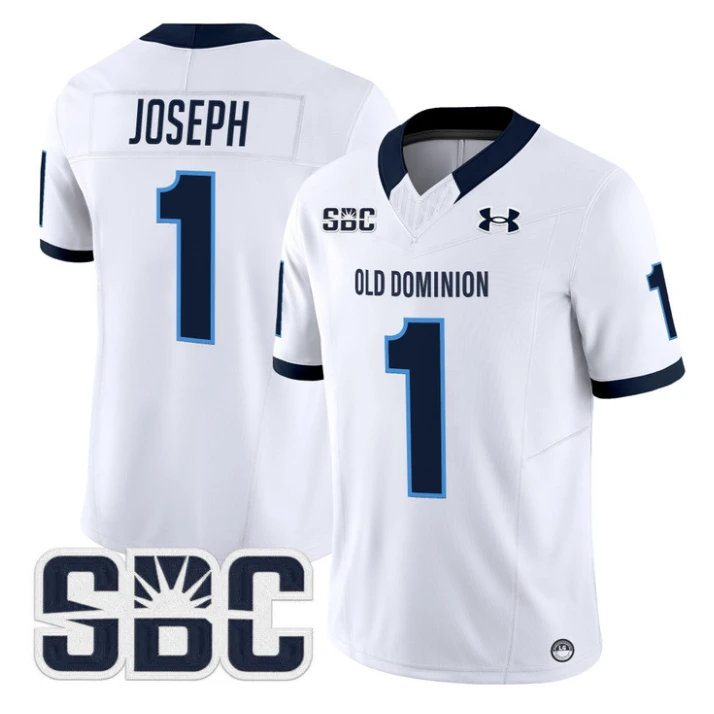
- Player-name listings. Ready-made shirts such as the Tre’ Brown III #2 Old Dominion 2026 Limited listing, a Taylor Heinicke #14 listing in the 2026 Vapor line or a Colton Joseph #1 listing in the 2025 Vapor line. Nothing to type, nothing to proofread.
- Place and team-word listings. A Norfolk #757 listing, a Monarchs #26 listing or a Team #1 listing suit people who want the colors without a personal name on the back.
- Custom pages. Custom Old Dominion Monarchs Name, Number 2026 Vapor, or the 2025 Vapor custom pages in White, Navy, Navy Alter and Blue, for anyone who wants their own surname.
Mixing the three is normal. Grandparents often prefer a ready-made shirt, while teenagers usually want their own name.
Step 3: Build the sheet
Use a shared spreadsheet or a simple note with one row per person and these columns:
- Person’s name (for your reference, not for printing)
- Listing type: player, place or custom
- Exact listing name
- Color
- Size, chosen from the size menu on the product page
- Back text in capitals (custom only)
- Number (custom only)
Ask each person to fill in their own row. Typing their own name reduces spelling errors more than any amount of checking by the organizer.
Step 4: Settle numbers before they clash
Groups often want a theme. A family might choose one shared number with different surnames, or each person might pick a birth year ending. A club could number members in sequence. Decide the rule early, write it at the top of the sheet, and you will avoid two cousins quietly picking the same number when they wanted different ones.
Step 5: Sizes, in writing
Never accept “same as last time” or “medium-ish.” Ask each adult to check a shirt they already like the fit of and choose from the size options listed on the product page. For children, the parent should confirm the size directly rather than the organizer guessing.
Step 6: Lock it and submit
Set a deadline, then freeze the sheet. Read every custom row aloud with the person if you can. When you order, the product page asks for custom names and numbers in a message at checkout, or by email after ordering. Paste one line per custom jersey, for example “2026 Vapor, size L, PARKER, 21,” and keep the lines in the same order as the cart. If you email instead, put the order number at the top and list every custom shirt in one message.
A watch-party idea from the record book
According to odusports.com, Old Dominion beat South Florida 24-10 in the StaffDNA Cure Bowl in Orlando in December 2025, finishing 10-3 for its first 10-win season since 2016. Some groups like to build a rewatch night or a season-opener gathering around a moment like that. If so, plan the order with enough lead time that every shirt arrives before the date.
After the shirts arrive
Keep the sheet. If someone joins the group next season, you will already know which listing, color and lettering style the others chose, and matching a new shirt takes minutes. Each jersey should be machine washed and tumble dried low, as the product page notes, so add a care reminder when you hand them out.