
Uncategorized
Nevada Wolf Pack Custom Jerseys for a Group: Organizer’s Guide
Oct
To order custom Nevada Wolf Pack jerseys for a group, agree on Style 1 or Style 2 first, then gather each person’s name, number and size on one roster, have every person approve their own line, and place the orders from that roster following the product page instructions. Since every Nevada design in this category is a custom name-and-number listing, the roster is the heart of the whole project. Here is how to build it and use it without losing a weekend to back-and-forth messages.
Start with the style vote
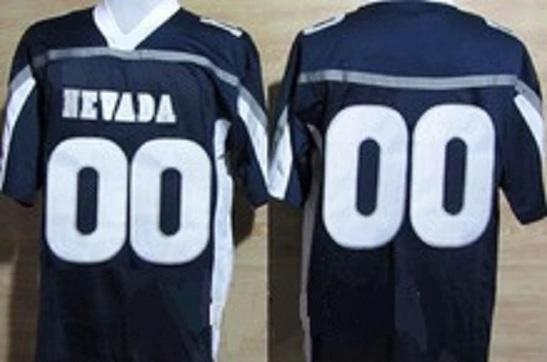
The Nevada Wolf Pack custom jersey page on RobertHenrys offers two designs: Nevada Wolf Pack Custom Name and Number Style 1 and Nevada Wolf Custom Name and Number Style 2. Share both product pages with the group and ask for a quick vote. A unified style makes group photos look intentional, but there is no rule against splitting; some families let adults and kids choose differently. Decide early, because the roster columns depend on it.
The roster: one line per wearer
Whether you use a spreadsheet, a shared document or a group chat pinned message, give each person one line with these fields:
- Wearer: who the jersey is for.
- Style: 1 or 2.
- Back name: exactly as it should be stitched.
- Back number: digits only.
- Size: chosen from the options shown on the product page.
- Approved: marked only when the wearer has read their line and agreed.
Keep a separate notes field for anything unusual, like a hyphenated surname or a requested leading zero.
Collecting names without typos
Ask each person to type their own back name into the roster. It sounds minor, but it removes the most common group-order error: an organizer guessing at a spelling. Nicknames are welcome, so ask people to spell them out, since “Mikey” and “Mickey” are both reasonable guesses. For kids, ask a parent to fill in the line.
Numbers: decide your group rule
Before numbers start coming in, set a rule. Two common options:
- Everyone different. Good for rec teams and clubs where the jerseys may be worn together on a field. First come, first served on popular numbers.
- Shared number. Popular with families: everyone wears the same number, perhaps a family birthday or anniversary day, with different names on the back.
Announce the rule up front so nobody feels their pick was overruled later.
Sizes: the field that needs the most chasing
People reply fast with names and numbers and slow with sizes. Set a firm date for sizes and send one reminder the day before. Encourage everyone to compare a jersey or tee they already like the fit of against the size options on the product page. For anyone who plans to wear a layer underneath, suggest they consider going up one size.
Order day
When every line says approved, block out some uninterrupted time. Work down the roster line by line:
- Open the right style listing, for example the Nevada Wolf Pack Custom Name and Number Style 1 page for anyone on Style 1.
- Select the size from the roster.
- Provide the back name and number the way the product page instructs, copying straight from the roster.
- Mark the line “ordered” before moving on.
Copy and paste wherever you can. Retyping twenty names is where errors creep back in.
After the orders go in
Keep the roster. When confirmations arrive, check each one against its line. If anything needs fixing, you will have the exact details ready. When the jerseys are handed out, the roster also doubles as a checklist so nobody walks away with someone else’s size.
Pass along the care basics
The listings give simple care guidance: machine wash, tumble dry low. Share that with the group along with the build notes from the product page, which describe a 100% recycled polyester body, stitched tackle twill letters and numbers, embroidered applique and graphics, flatlock stitching, a satin twill jock tag, a V-neck with short sleeves and a reinforced tagless collar. A one-line reminder about low heat in the dryer is worth sending.
Organizer shortcuts
- Pin the roster where everyone can see it.
- Set separate deadlines for names and numbers versus sizes.
- Never place an order for an unapproved line.
- Order in one sitting with the roster open beside the product page.